
Appearance
Clubbers
Overview
The Clubbers section covers the mobile workflows around viewing, registering, and maintaining clubber profiles.
What you do here
- Find clubbers quickly using the list + search
- Register new clubbers in the field
- Update details when information changes
- Import multiple clubbers at once (bulk import) where supported
Key Concepts
- Clubber profile: the core record the field team works with (identity + participation).
- Search & filters: used to find existing clubbers quickly in the field.
User Roles & Permissions
- Field users: create/update clubbers within their assigned scope.
- Supervisors/admins: may review broader sets of clubbers.
Features
- View clubber list and details
- Register a new clubber
- Update a clubber’s key details
- Bulk import clubbers (where enabled)
Workflows
Register a clubber
- Open Clubbers
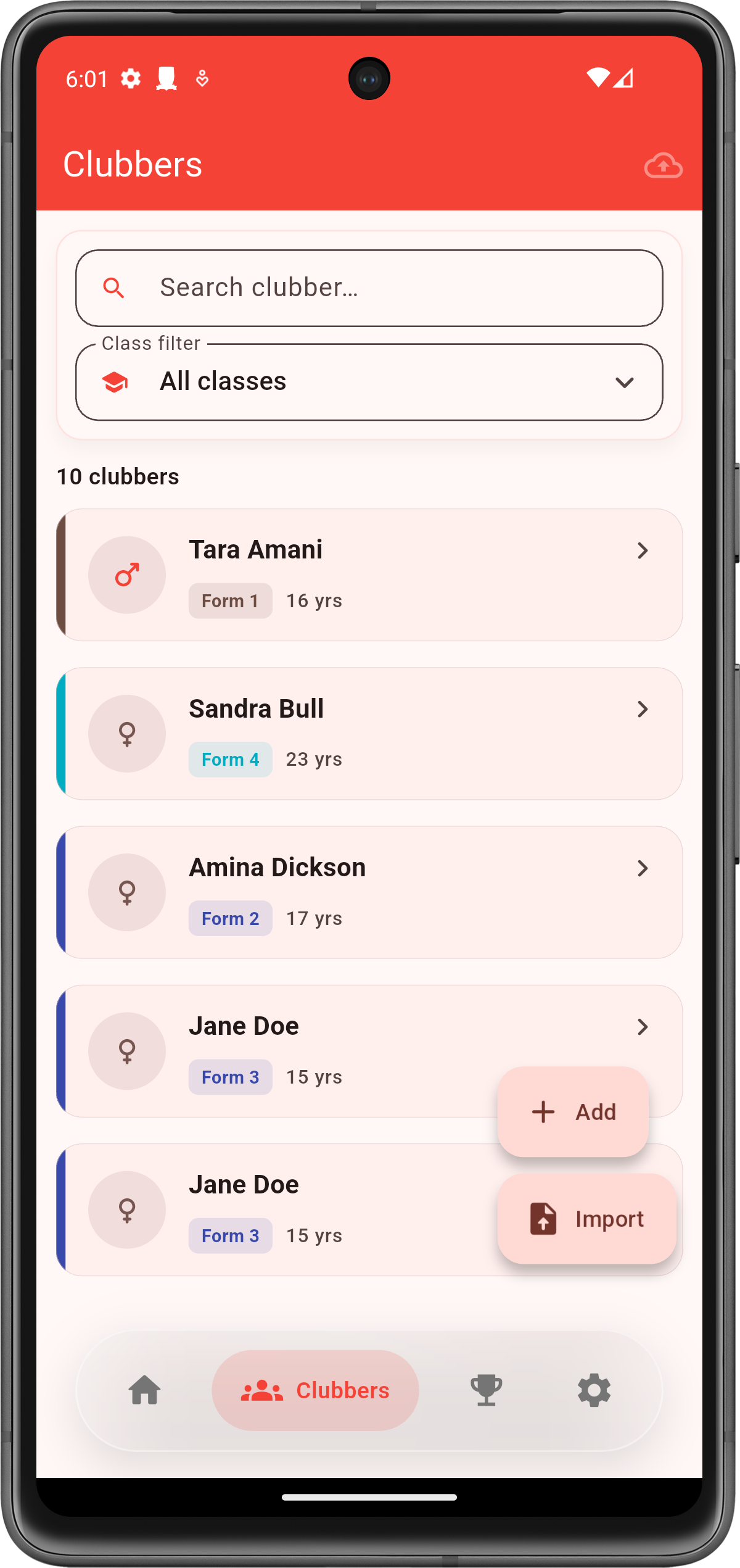
- Tap Add / Register
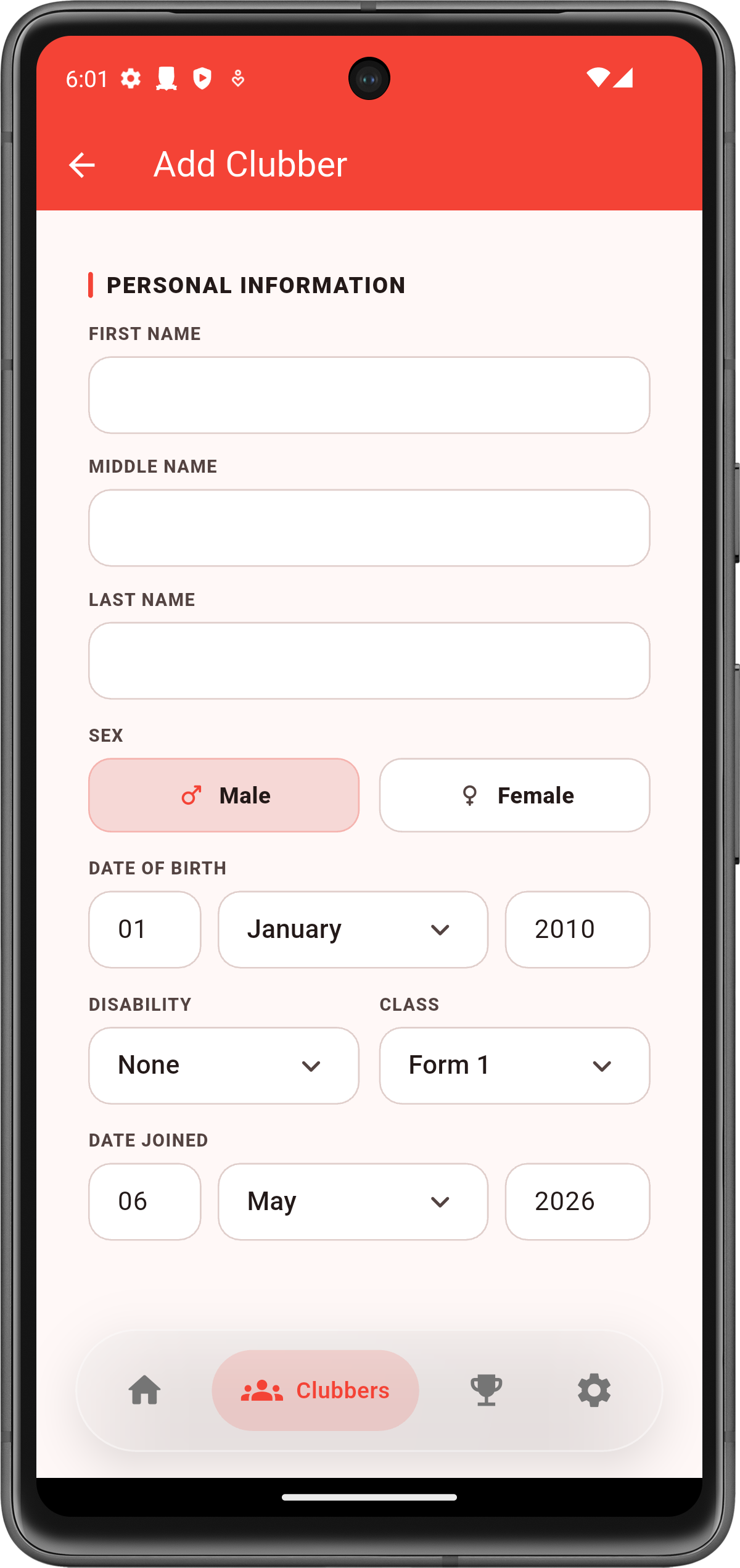
- Enter required details
- Save and confirm the clubber appears in the list

Bulk import clubbers (optional)
- Open Clubbers
- Choose Bulk import
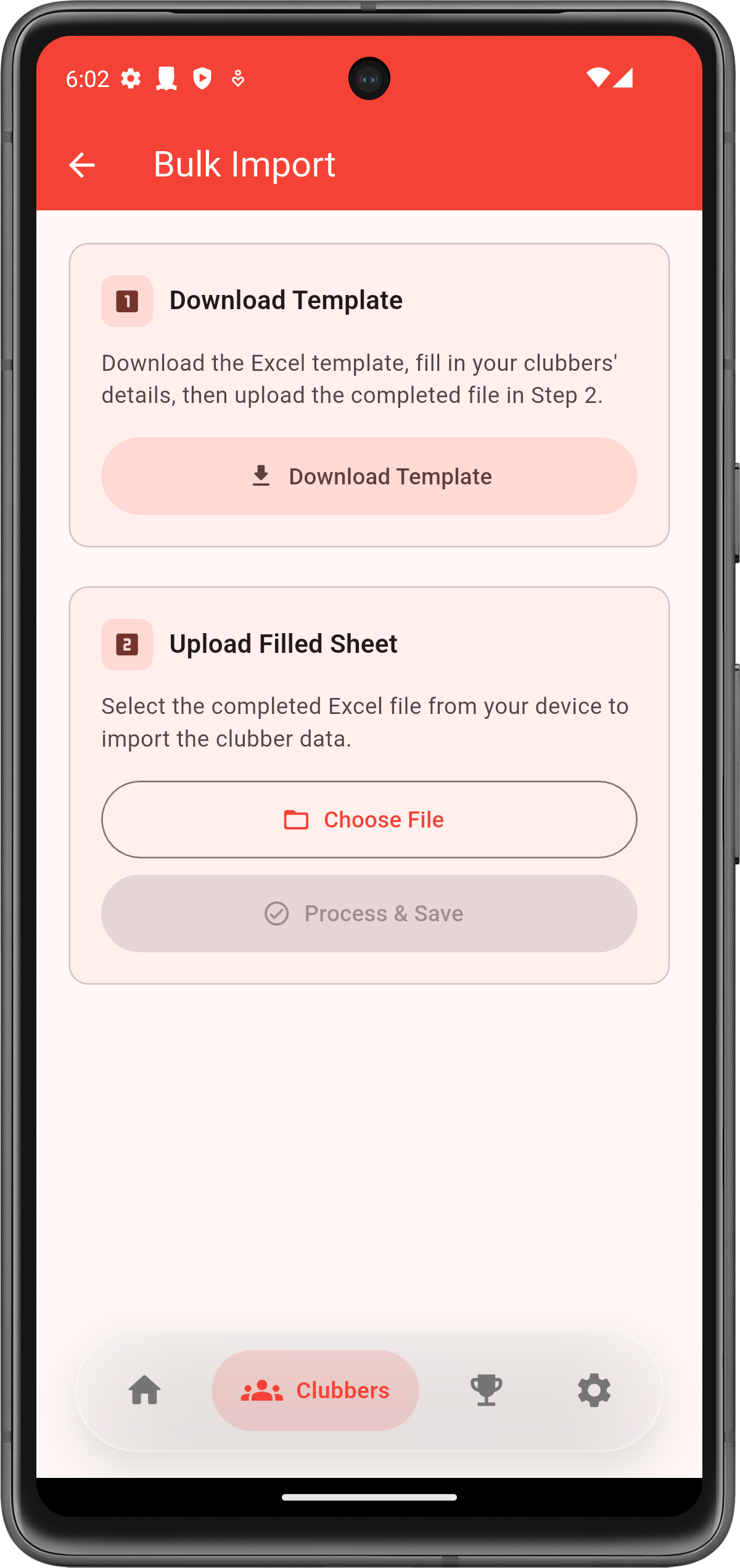
- Download the Excel template (if needed)
- Fill in clubber details and save the file on your device
- Upload the filled sheet and select the file
- Tap Process & Save
- Verify the imported clubbers appear in the list