
Appearance
Dashboard
The Dashboard is the default landing experience after sign-in. It surfaces headline KPIs, charts for customer categories and clubber demographics, staff position distribution, and a latest orders table with deep links into Publications and Orders.
Purpose and outcomes
- Answer “How is distribution and reach trending?” in one screen without opening each module.
- Jump directly to Publications, Clubs, or Orders via stat cards and order links.
Who it is for
Requires Dashboard READ permission (everyone with dashboard access in typical deployments).
Scope
- In scope: Dashboard landing page with stat cards, charts, and tables.
- Out of scope: Customisable widgets—layout is code-defined.
Key concepts
- Stat cards — four KPIs: Issues distributed, Customers reached, Total orders, Copies distributed (each links to a module list).
- Customer category chart — distribution of customer categories.
- Clubber demographics — gender/disability breakdown.
- Staff positions — optional card when data exists.
- Latest orders — recent distribution orders with navigation.
Features
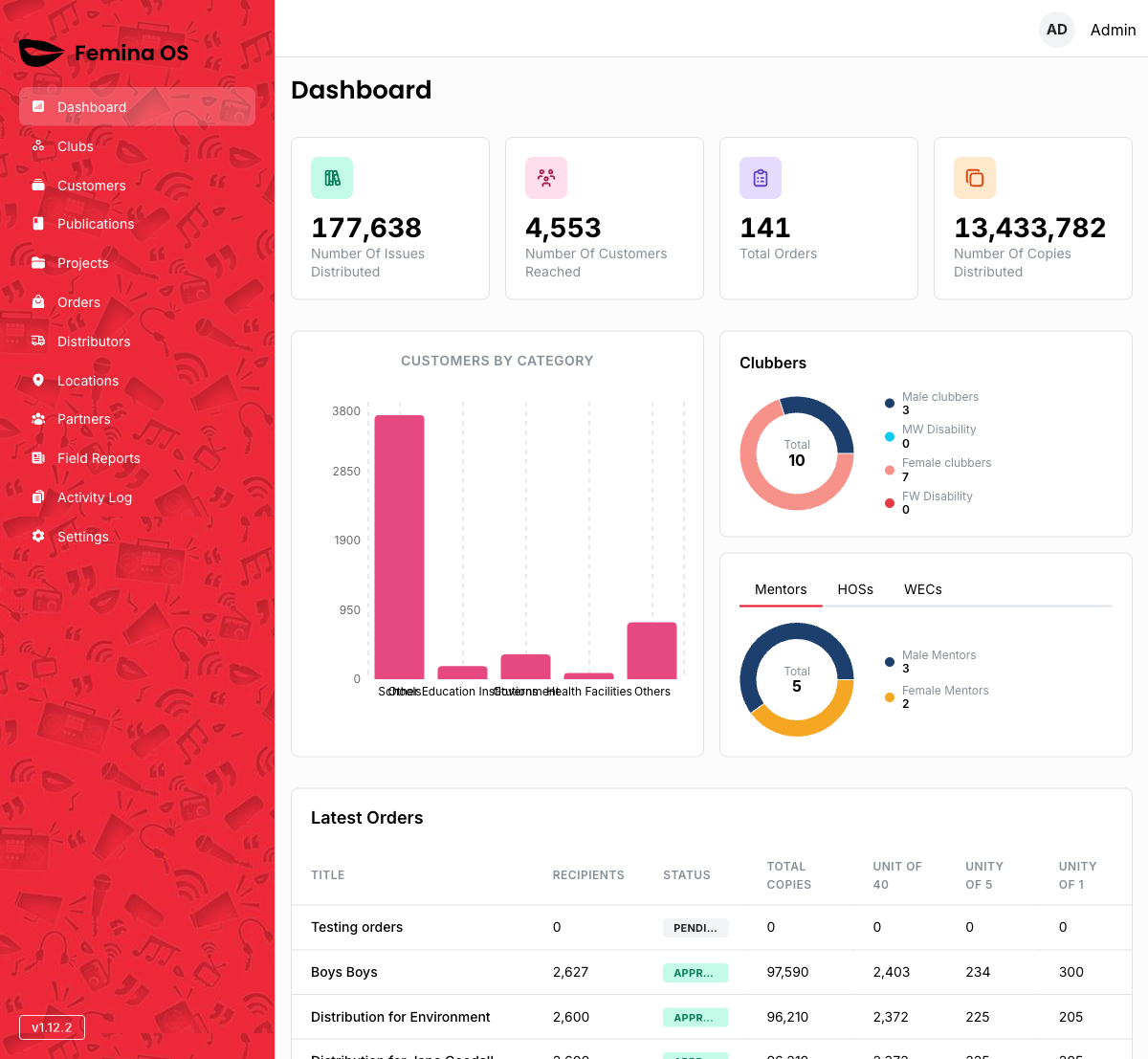
Screenshot: H2 Dashboard, 2×2 stat card grid on large screens, charts row, stacked demographics + staff cards, latest orders table footer.
Stat cards
Each card is clickable:
| Card | Opens |
|---|---|
| Number Of Issues Distributed | Publications |
| Number Of Customers Reached | Clubs |
| Total Orders | Orders |
| Number Of Copies Distributed | Orders |
Screenshot: Hover/focus state on a stat card showing it behaves as a link.
Charts and analytics
Screenshot: Customer category chart (bar/pie per implementation).
Screenshot: Clubber demographics card with legend.
Screenshot: Staff position card when non-empty dataset.
Latest orders table
Screenshot: Table of recent orders with columns for name, status, issue, dates; row navigation into order detail.
Workflows
Morning health check
- Sign in; land on Dashboard.
- Read the four KPI numbers vs expectations.
- Open Latest orders anomalies directly.
Drill into clubs from reach KPI
- Click Number Of Customers Reached.
- You arrive on Clubs to investigate coverage.
FAQ
Why is Staff positions missing?
The card appears only when there is staff summary data to show.