
Appearance
Settings
Overview
Settings covers the user/account controls and any app configuration exposed in the mobile client.
What you do here
- Check your account and app status
- Trigger or review sync status when data looks outdated
- Update credentials (e.g. change password) if required by policy
Key Concepts
- Session: sign-in state, tokens, and logout behavior.
- Environment/config: how the app is pointed at the right backend (dev/staging/prod).
User Roles & Permissions
- Most settings are available to all signed-in users.
- Some options may be restricted to admins/supervisors depending on backend rules.
Features
- View account/profile
- Sign out
- App configuration (where provided)
- Sync status and controls
Workflows
Sign out
- Open Settings
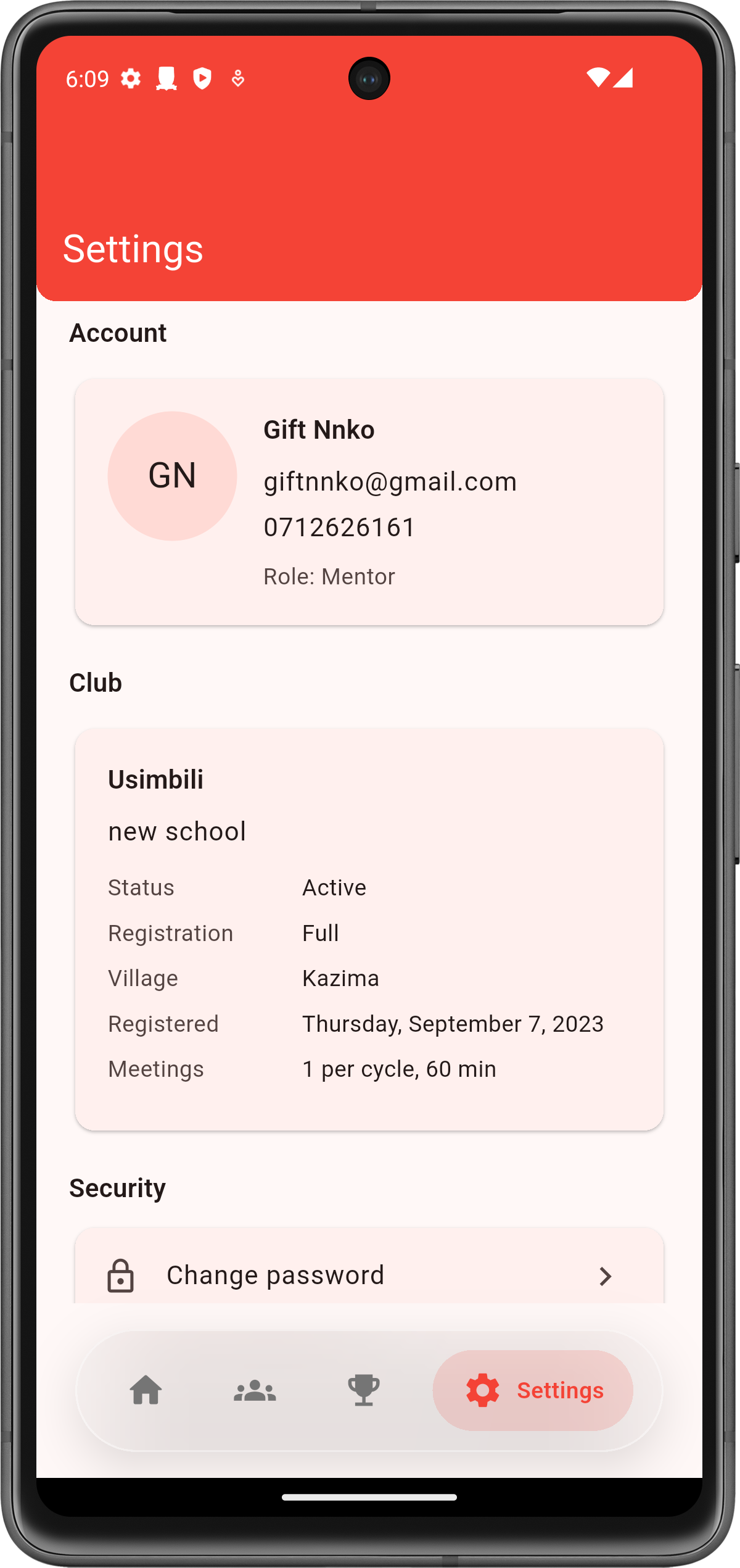
- Tap Sign out
- Confirm you are returned to the sign-in screen
Sync data
- Open Settings
- Open Sync
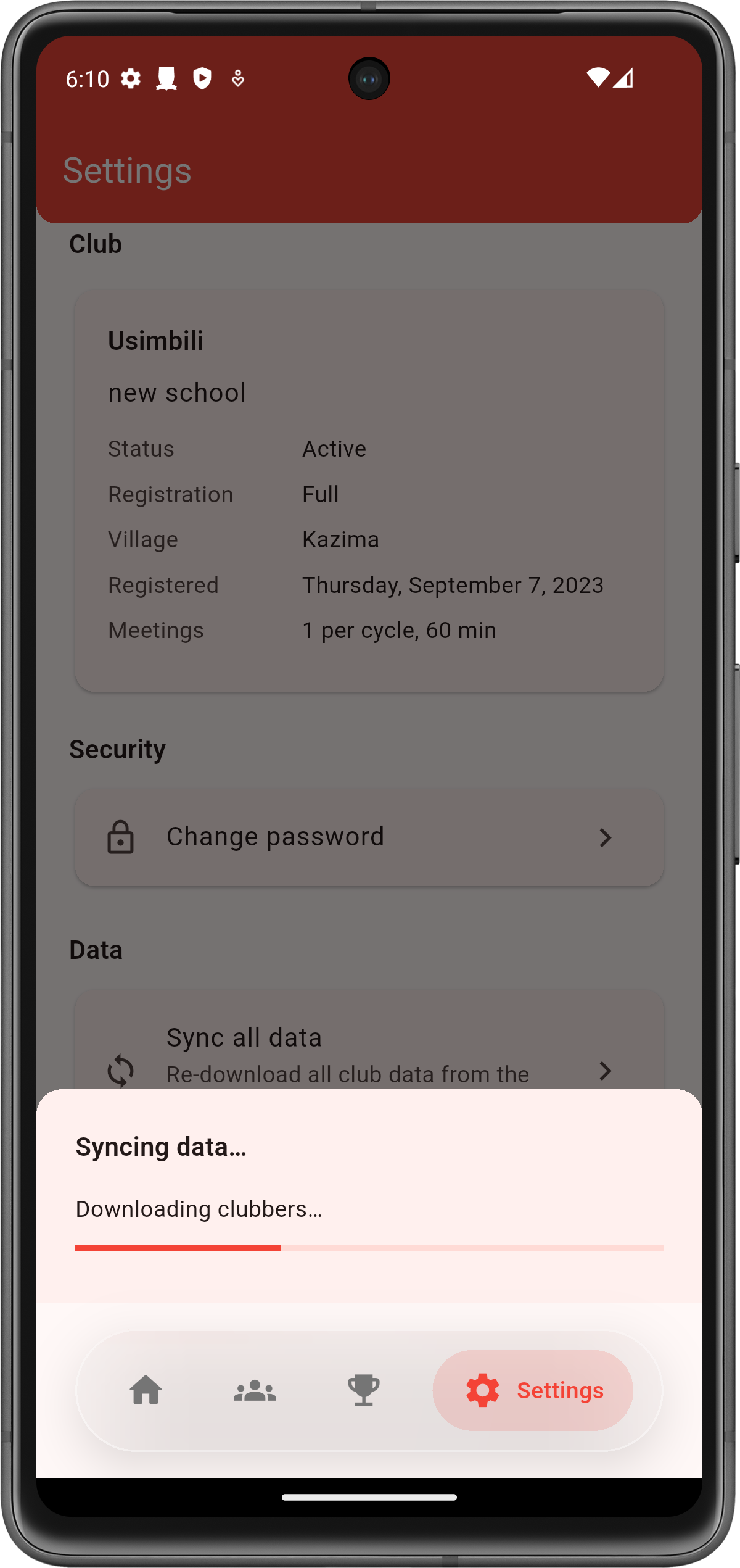
- Trigger sync (if available) and wait for completion
- Return to the page you were working on and confirm data is updated
Change password
- Open Settings
- Tap Change password
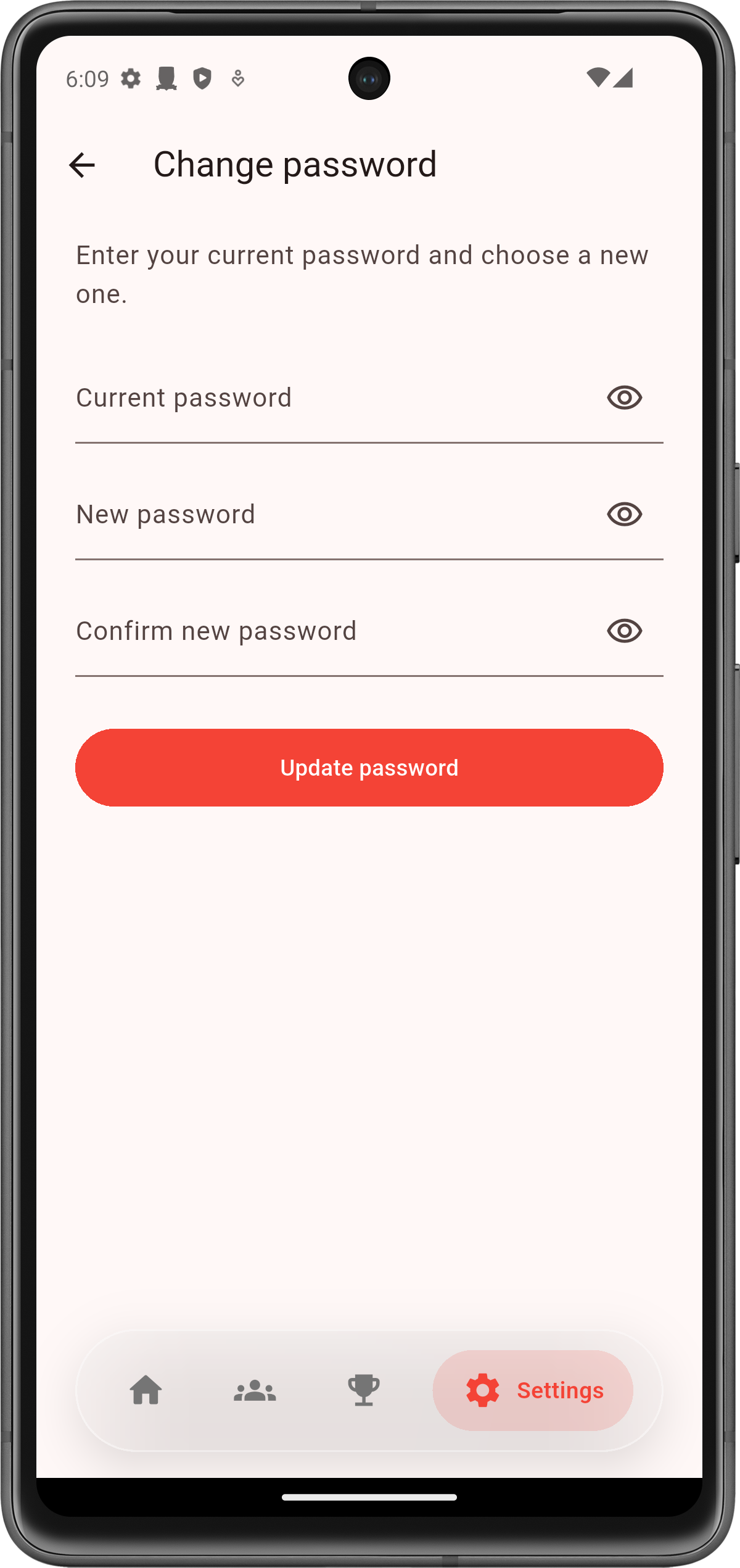
- Enter your current password and new password
- Save and sign in again if prompted