
Appearance
Customers
Customers are publication recipients that are not necessarily modeled as Femina Hip clubs. The module provides stats cards, type filters, search, a details drawer per row, and an Add customer dialog gated on CREATE permission.
Purpose and outcomes
- Register and maintain organisations or individuals that should appear on distribution orders.
- Review aggregate customer metrics at the top of the page.
- Open a drawer for quick facts, then edit inside a dialog when permitted.
Who it is for
Requires Customer LIST to view the page. Add customer renders only when Customer CREATE is granted.
Scope
- In scope: Customers list, stats, filters, customer details drawer, and customer form dialog (create and edit paths inside the drawer flow).
- Out of scope: Club-specific clubbers—see Clubs.
Key concepts
- Customer — distribution recipient entity with type, contact, and status fields.
- Customer type filter — narrows the visible subset by customer category.
Features
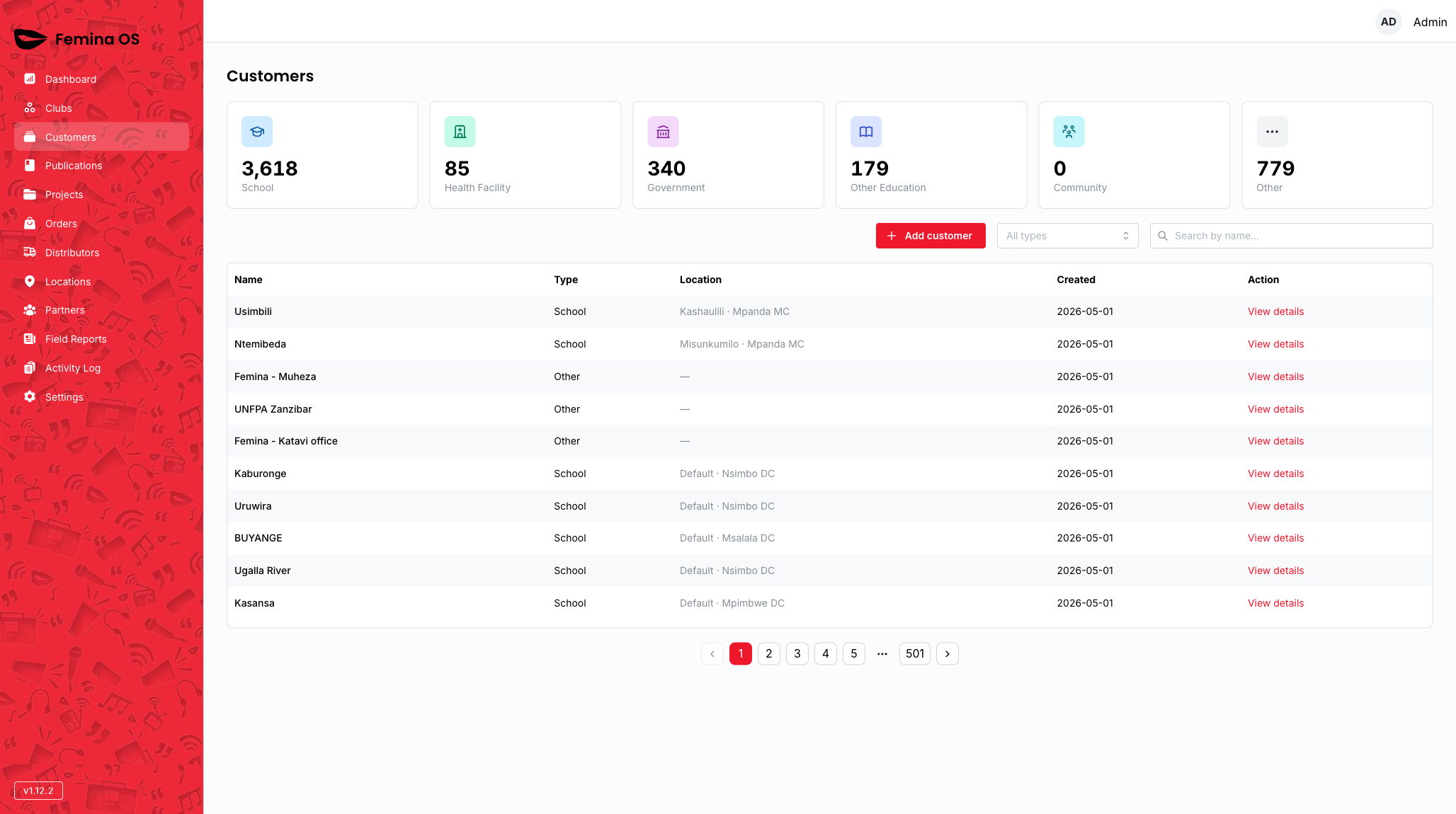
Screenshot: Title Customers, stats grid, toolbar with Add customer, type filter, search, and paginated table.
Stats cards
Screenshot: Six-card (or responsive) KPI grid above the table.
Add customer
Click Add customer to open the customer form dialog.

Screenshot: Large dialog with customer fields, scroll area if needed, Save/Cancel.
- Cancel / close — discards unsaved changes (confirm if your build adds unsaved-warning dialog).
- Save — creates record; list refreshes.
Row drawer
Clicking a row opens the customer details drawer (same pattern as Clubs).

Screenshot: Drawer shell with customer summary and actions.
Edit / delete confirmations
Destructive actions use a confirm dialog before they run—capture that step in screenshots.
Screenshot: Confirmation dialog for delete or destructive cancel, with a red confirm action.
Workflows
Register a distributor-facing school that is not a club
- Click Add customer.
- Fill the form fields (name, type, contacts).
- Save; verify the row appears and is selectable inside order planning UIs (documented in Orders / Publications distributions).
Audit a customer record
- Search or filter by type.
- Click the row → review drawer fields.
- Choose Edit (if shown) to reopen the customer dialog prefilled with existing data.
FAQ
Why is Add customer missing?
Your role lacks Customer CREATE.