
Appearance
Locations
The Locations module defines the geographic hierarchy used when registering clubs, filtering lists, and reporting. The web UI is a shell: a region sidebar with search and zone filter, a main canvas for districts, and—inside a district—Councils and Wards tabs.
Purpose and outcomes
- Browse regions and drill into districts, then manage councils and wards for that district.
- Create new geography where permitted (top-level create, create under a region, and create under a district—exact entry points match your deployment’s menu buttons).
- Provide the canonical ward/council linkage that Clubs pick during registration.
Who it is for
Requires Location LIST to open the shell; deeper READ/CREATE checks apply on nested routes. Typically Root operators maintain data; other roles consume locations through club forms.
Scope
- In scope: Locations entry redirect, locations shell layout, districts grid per region, district detail with Councils and Wards tabs, and any ward detail placeholder your build exposes.
- Out of scope: Importing geography from external GIS—only what the UI exposes.
Screens map
| Screen | Behaviour |
|---|---|
| Locations (sidebar) | If at least one region exists, opens the first region automatically; otherwise shows an empty state (“No regions configured”). |
| Districts (for a region) | Districts grid with search. |
| Create under region | Create flow under the selected region (per implementation). |
| Create (top level) | Top-level create entry (per implementation). |
| District detail | Councils and Wards tabs; default tab Councils; search within the district when supported. |
| Create under district | Create child location for the district. |
| Ward detail | Placeholder in the current product—treat as TBD if your build adds content. |
Locations layout
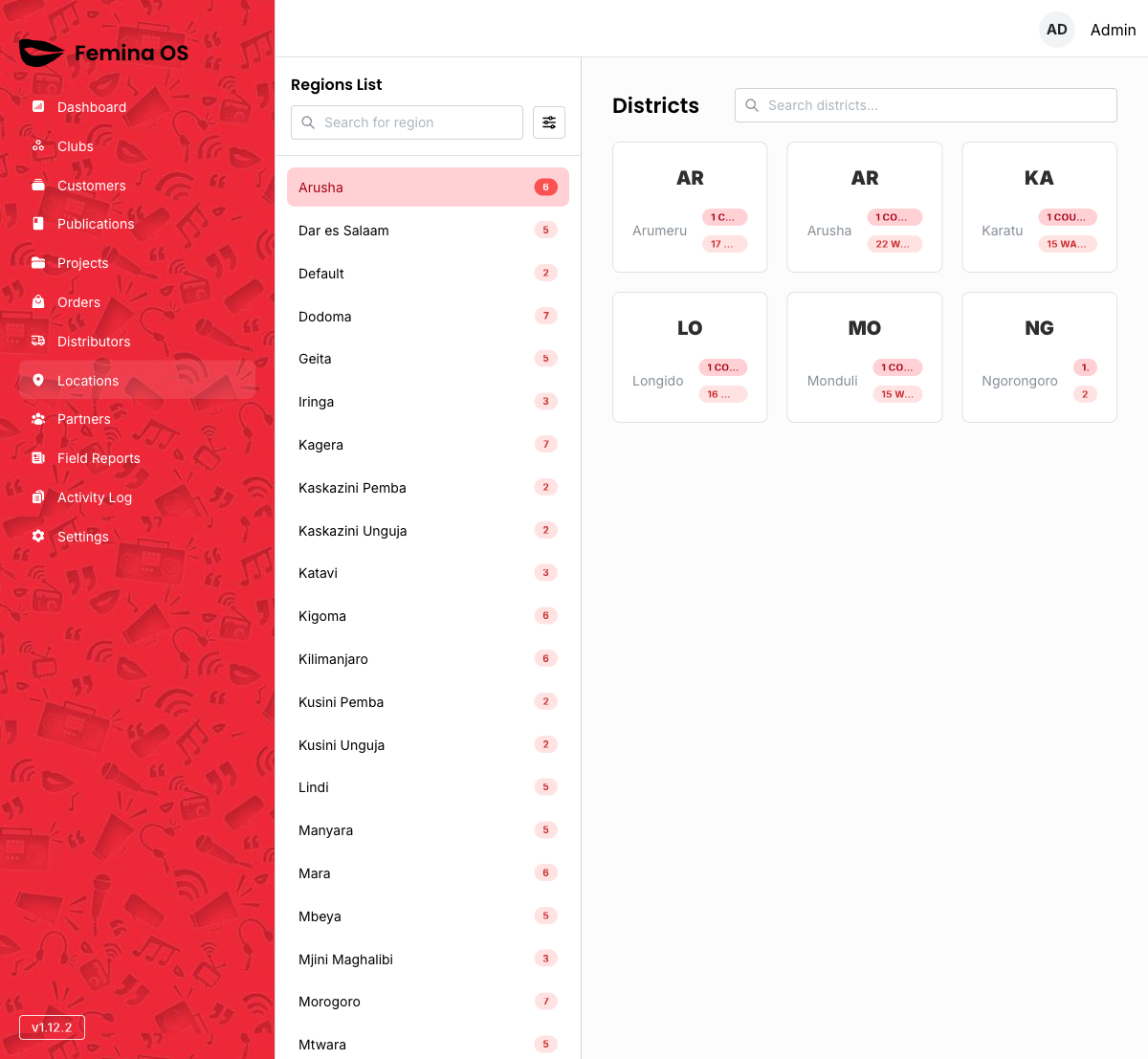
Screenshot: Two-column layout—left aside with region list, zone popover filter, region search field; right pane showing districts or district detail.
Region sidebar
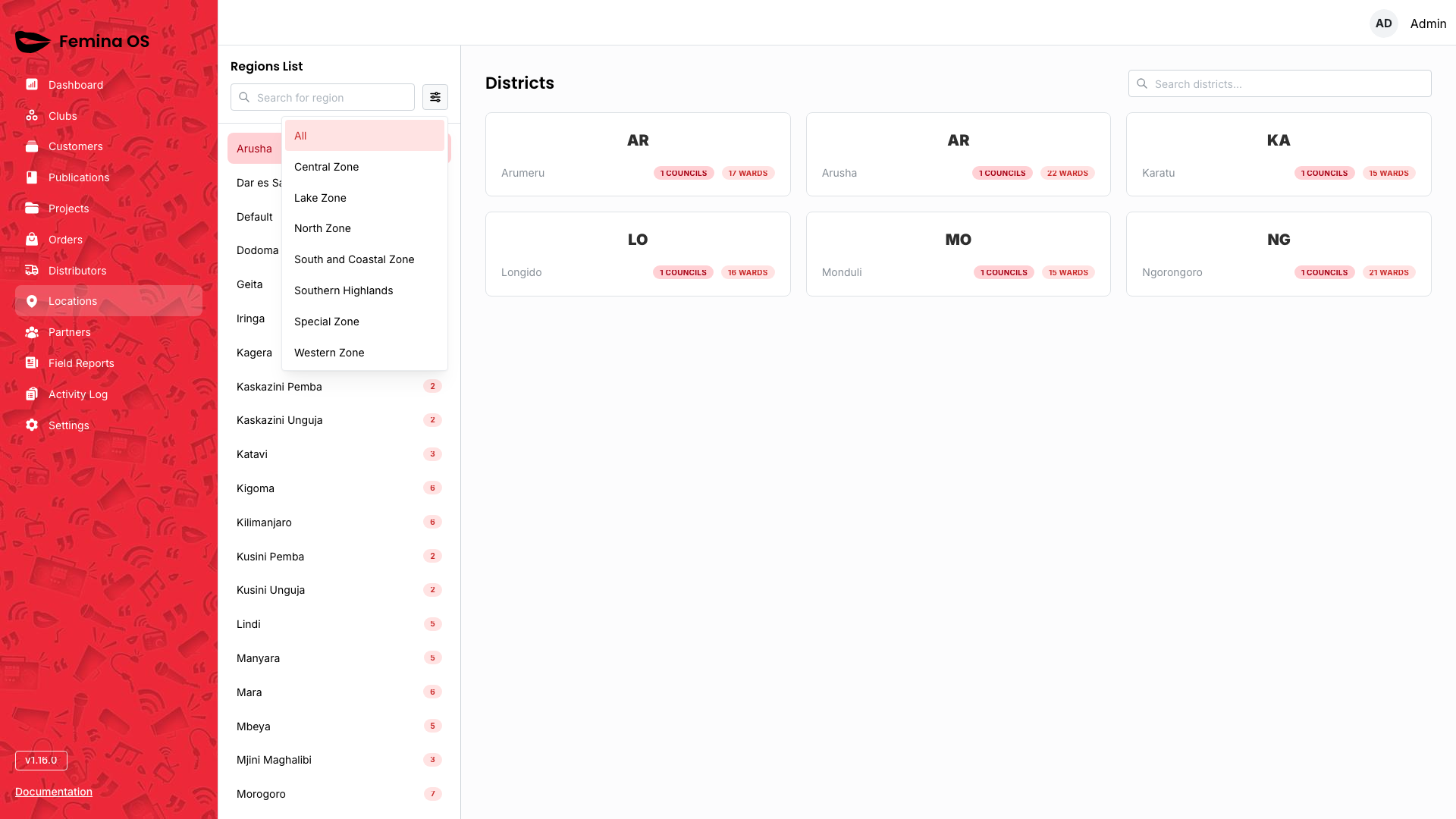
- Search regions — debounced text filter in the sidebar.
- Zone filter — popover to limit regions by zone.
- Region links — open that region’s Districts view.
Screenshot: Aside with active region highlight and zone popover open.
Districts grid
Screenshot: Title Districts, search field, responsive DistrictCard grid.
- Click a district card to open district detail.
District detail
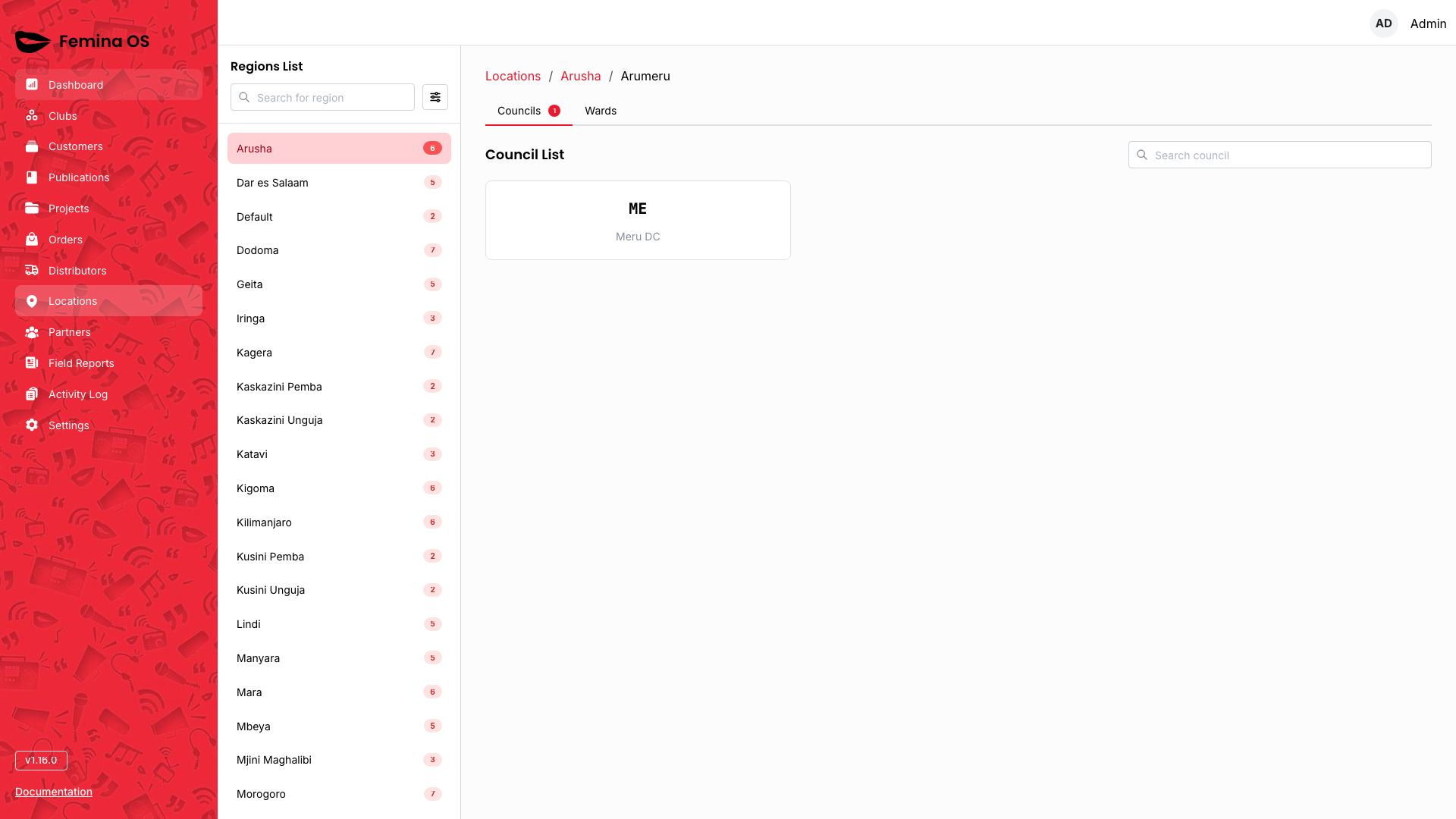
Screenshot: Breadcrumb Locations / {Region} / {District}, tabs Councils (badge count) and Wards (badge count), councils grid/table.
Tab: Councils
Screenshot: Councils list/cards with search within tab.
Tab: Wards

Screenshot: Wards list with Add ward (or equivalent) actions.
Add / edit ward forms
Add ward, ward forms, and council cards may open dialogs or inline forms—capture each.
Screenshot (dialog): Ward form with council association and Save/Cancel.
Workflows
Jump to a region quickly
- Open Locations (auto-selects first region if any).
- Use sidebar search to filter region names.
- Click the target region.
Maintain wards for a district
- Open the district.
- Switch to Wards tab.
- Use Add control; complete the dialog or inline form; save.
- Verify the ward appears and is selectable from Clubs registration.
FAQ
Why does Locations skip a landing table?
The app immediately selects the first region so administrators start from real data.
Can I delete a ward in use?
Business rules may block deletes when clubs reference the ward—confirm with your administrator.